What it does
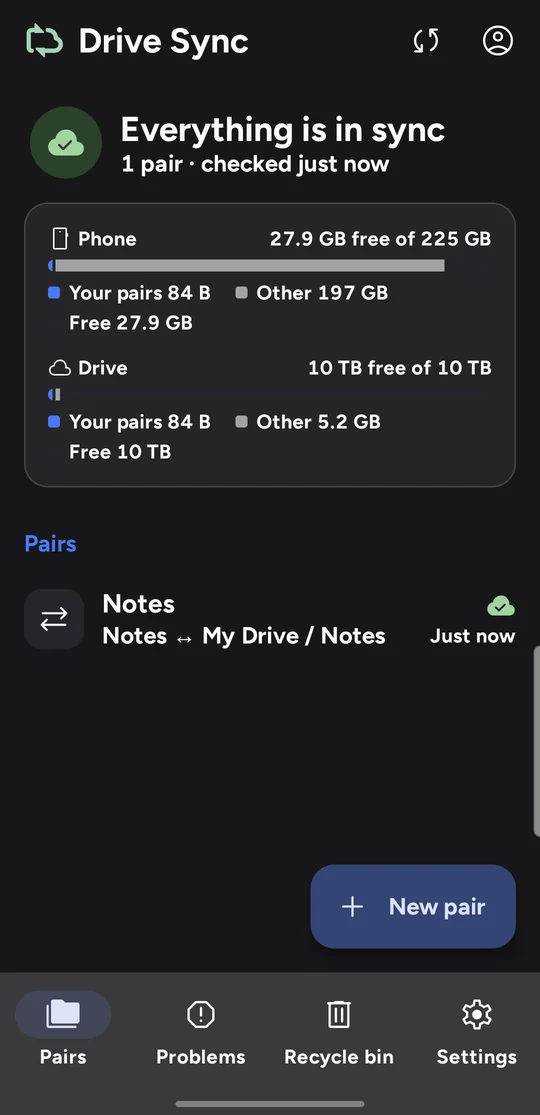
Drive Sync works the way Drive for desktop does on a computer, but for folders on an Android phone.
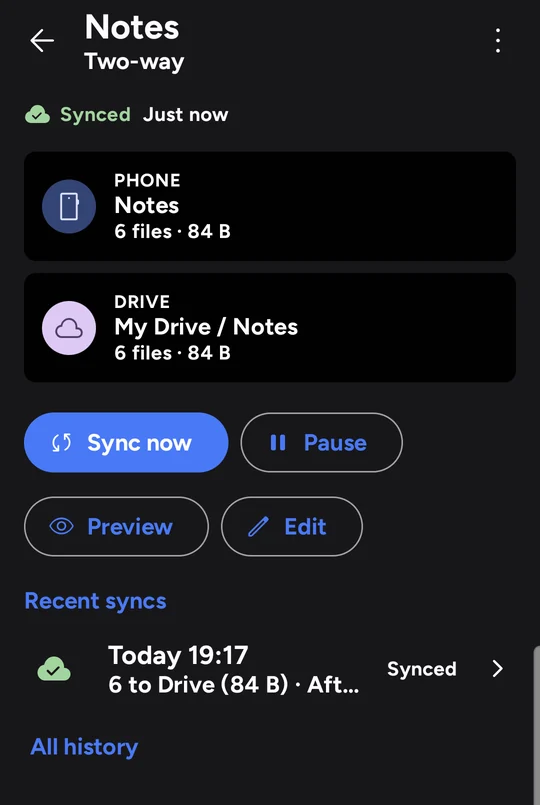
- Pairs you choose. Each pair links one phone folder with one Drive folder. Sync both ways, or only phone to Drive, or only Drive to phone.
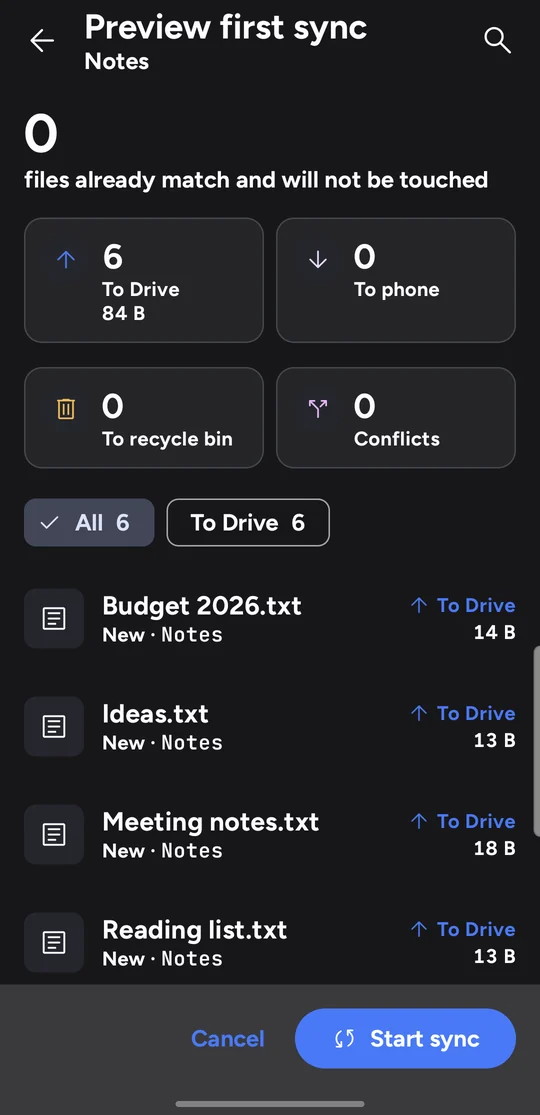
- A preview first. A new pair lists every upload, download and removal before anything changes. Nothing syncs until you tap Start sync.
- Nothing lost quietly. Files a sync removes or replaces wait in a recycle bin for 30 days. If a run would delete many files at once, it stops and asks you.
- Conflicts kept. When the same file changed on the phone and on Drive, both versions are kept.
- When it syncs. Within seconds of a change, or on a schedule, with rules such as Wi-Fi only, while charging, or only over a VPN.
- Optional encryption. An encrypted pair encrypts file names and contents on the phone, so Drive only ever stores ciphertext.
How Drive Sync uses your Google Drive
When you add a Google account, Drive Sync asks for one permission: to see, edit, create and delete files in your Google Drive (https://www.googleapis.com/auth/drive).
Why it needs full Drive access
You choose folders that already exist in your Drive, including shared drives and files added from a computer or the web. Narrower permissions only reach files the app created itself, so they could not keep an existing folder in sync.
What it does with that access
- Reads your Drive's folder list, so you can choose a folder to pair.
- Uploads and downloads files inside the folders you paired, and exports Google Docs in them as Word, Excel, PowerPoint or PDF copies on your phone.
- Moves files that a sync removes to Drive's trash, and shows earlier versions so you can restore one.
- Reads your storage quota to show how much space is free.
- If you browse Drive from the phone's Files app, opens only the files you open there.
- If you turn on configuration backup, saves a small file describing your pairs and settings, never file contents, in your Drive's hidden app-data folder.
Where your data goes
Files travel directly between your phone and Google's servers over HTTPS. Drive Sync has no servers of its own and contains no analytics, advertising or crash-reporting code. Your data is never sold, shared, or used to train AI models.
Drive Sync's use and transfer of information received from Google APIs adheres to the Google API Services User Data Policy, including the Limited Use requirements.
You can remove access at any time: in the app under Accounts, Disconnect, or in your Google Account at myaccount.google.com/permissions. The privacy policy has the details.
Getting Drive Sync
Drive Sync runs on Android 11 or later. It is a personal project and is not on Google Play. To ask about access, email support@modhayanlabs.com.